
Smartphones have become an essential part of everyday life. We use them for communication, banking, shopping, navigation, and storing personal information. Because so much sensitive data is kept on our devices, they have become attractive targets for cybercriminals, scammers, and individuals seeking unauthorized access.
While most apps available through official app stores are safe, some applications can pose serious privacy and security risks. Certain apps may collect excessive amounts of personal data, track user activity, display intrusive advertisements, or even function as spyware. Understanding which types of apps present potential dangers can help users better protect their personal information.
1. Hidden Spyware Applications
Spyware apps are designed to monitor activity without the user’s knowledge. These programs may track messages, calls, locations, browsing history, and other personal information. Many spyware applications disguise themselves as harmless utilities, making them difficult to detect. If you discover software on your device that you do not remember installing, it is worth investigating further.
2. Fake Security Apps
Some applications claim to improve device security while actually collecting user data or displaying aggressive advertising. These fake security tools often promise virus removal, phone optimization, or privacy protection but provide little real benefit. Always research security software carefully before installation.
3. Suspicious Flashlight Apps
A flashlight app should only require access to your phone’s light. If a flashlight application requests permissions to contacts, messages, microphone, camera, or location data, this could be a warning sign. Many modern smartphones already include a built-in flashlight feature, making third-party alternatives unnecessary.
4. Unverified File Sharing Apps
Applications that allow file sharing from unknown sources can introduce security risks. Malware often spreads through files downloaded from untrusted networks or platforms. Users should only download files from reputable sources and verify permissions before installation.
5. Excessive Permission Apps
Any application requesting more permissions than necessary should raise concerns. For example, a calculator app generally does not need access to your contacts, microphone, photos, or location. Reviewing app permissions regularly can help identify potentially risky software.
6. Fake Messaging Platforms
Cybercriminals sometimes create counterfeit versions of popular messaging apps designed to steal login credentials or personal information. Always download communication apps from official stores and verify the developer before installing.
7. Screen Recording Tools from Unknown Developers
Screen recording applications can be useful, but they may also capture sensitive information displayed on your device. If developed by untrustworthy sources, these apps could potentially expose passwords, banking information, or private messages. Choose reputable developers with strong user reviews.
8. Unauthorized Device Cleaners
Many phone-cleaning apps promise dramatic performance improvements but offer little value. Some continuously run in the background, consume battery power, and collect user data without providing meaningful benefits. Modern operating systems already include built-in tools for managing storage and performance.
9. Unofficial QR Code Scanners
QR code scanning apps often request extensive permissions despite performing a relatively simple function. Since many smartphones now include QR scanning directly through the camera application, third-party scanners may be unnecessary. Using built-in features can reduce potential privacy risks.
10. Unknown VPN Applications
Virtual Private Networks can improve privacy when provided by trustworthy companies. However, some free VPN services collect browsing data, inject advertisements, or fail to protect users as promised. Research providers carefully before installing any VPN service.
11. Apps Installed Outside Official Stores
Applications downloaded from unofficial websites carry a greater risk of malware infection. Unlike software distributed through official marketplaces, these apps may not undergo security screening. Whenever possible, download applications only from trusted sources.
12. Clone Versions of Popular Apps
Some developers create apps that closely resemble well-known services but are designed to gather user information or display excessive advertising. These clone apps often imitate logos, names, and designs to appear legitimate. Checking developer information and reviews can help identify imposters.
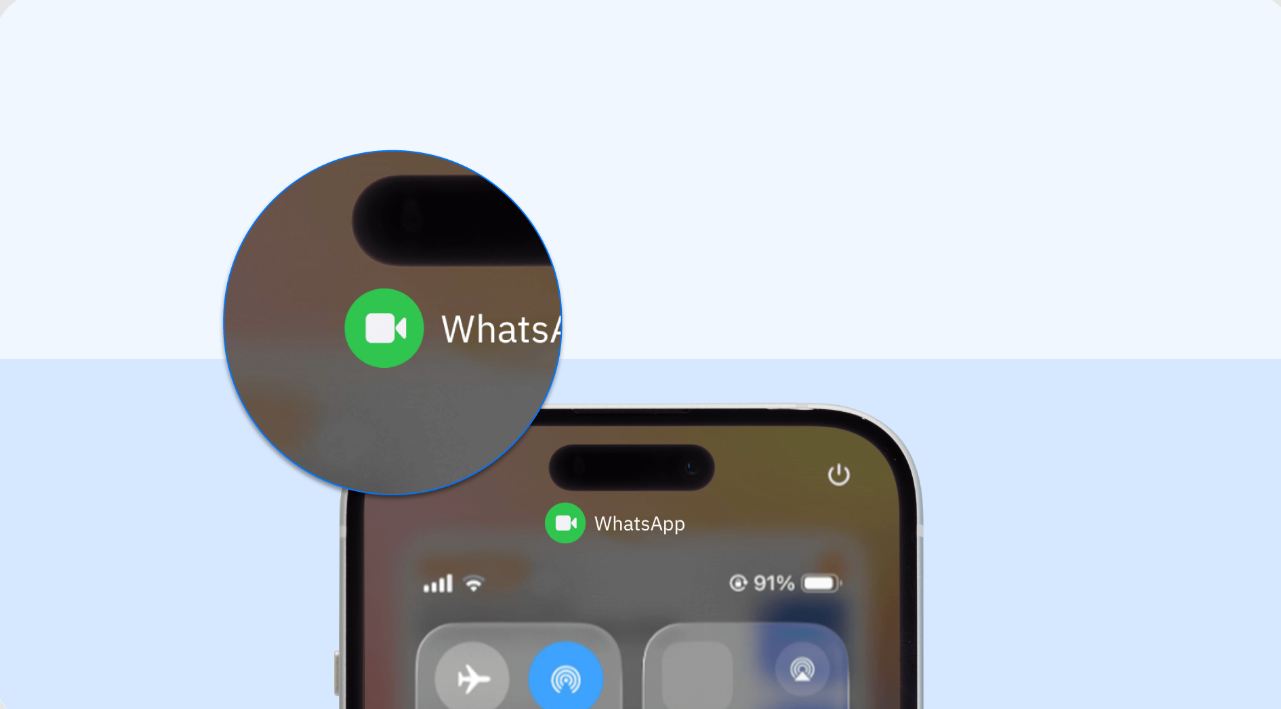
Warning Signs an App May Be Dangerous
Several indicators may suggest an app deserves closer examination:
Excessive permission requests
Frequent intrusive advertisements
Rapid battery drain
Unusual data usage
Unexpected pop-up messages
Poor user reviews
Unknown developers
Requests for sensitive personal information
If multiple warning signs appear together, removing the application may be the safest option.
How to Protect Your Device
Protecting your smartphone does not require advanced technical knowledge. Simple habits can significantly reduce risk:
Download apps only from official stores.
Review permissions regularly.
Keep software updated.
Use strong passwords.
Enable two-factor authentication.
Remove apps you no longer use.
Install security software from reputable developers.
Staying Safe in a Digital World
Cybersecurity threats continue to evolve, making awareness more important than ever. While not every unfamiliar app is dangerous, users should remain cautious when installing software that requests unnecessary permissions or comes from unknown sources. By regularly reviewing the apps on your device and following basic security practices, you can significantly reduce the risk of privacy violations, data theft, and unwanted surveillance while enjoying a safer mobile experience.